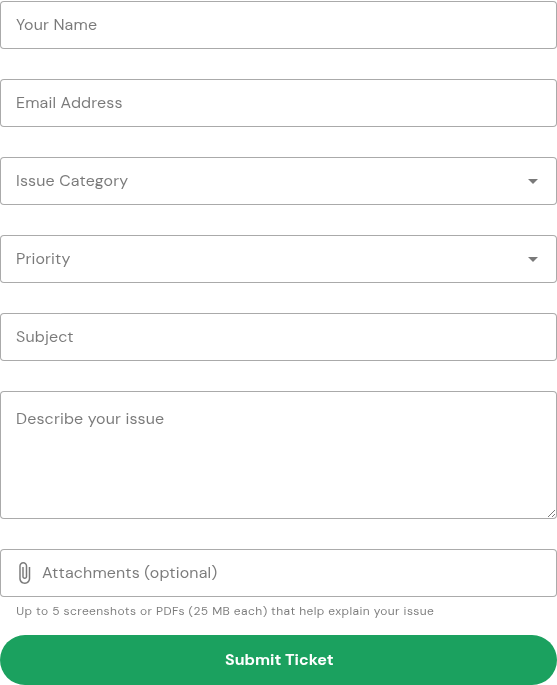
What should I include in a support request?
Include the affected action, the result you expected, and the exact error so support can understand the problem.
Updated
Describe what you were trying to do, what happened instead, and any error shown. A clear description helps support investigate without asking you to repeat the same information.
Steps#
- Open Support and scroll to Submit a support request.
- Enter your name and a reply email address.
- Choose an Issue Category and Priority that fit the problem.
- Write a short Subject, such as “Cannot open my signing link.”
- In Describe your issue, include the action, time and time zone, device/browser, and exact error. For a document issue, use a document reference rather than copying its contents.
- If useful, attach a screenshot with personal information hidden. Never include passwords, API keys, complete signing links or confidential document contents.