
Signature reminder email examples: follow up without confusion
Use three polite signature reminder emails and a status-check table to follow up with the right signer, handle questions and avoid duplicate requests.

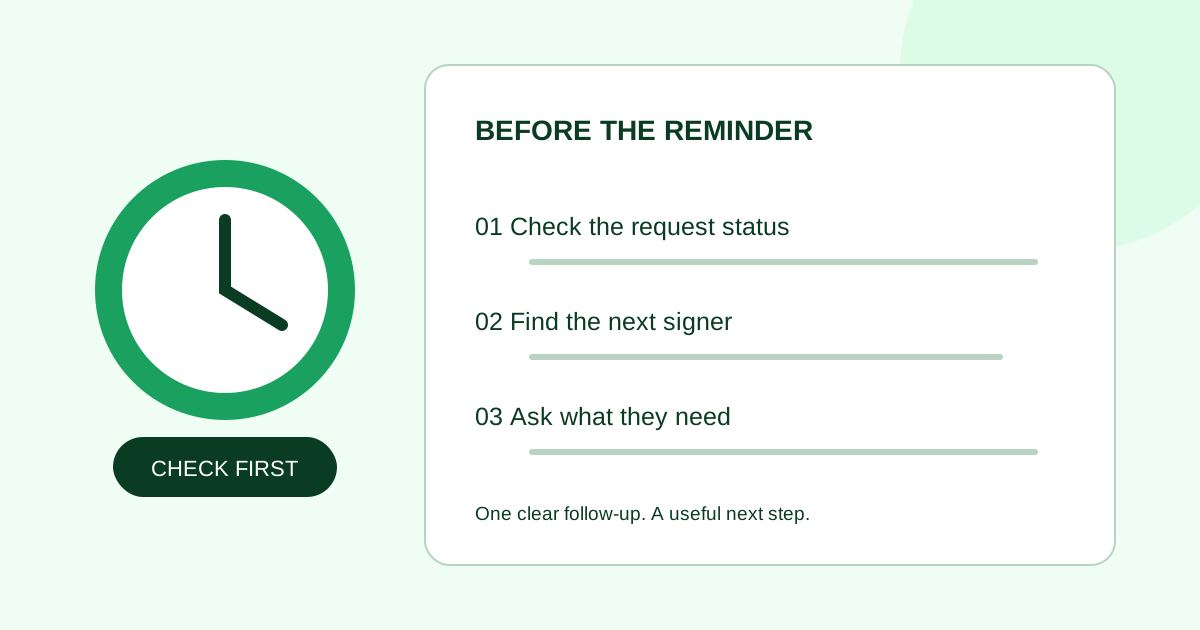
A polite signature reminder names the document, points the recipient back to their own signing invitation, and asks whether anything is preventing them from reviewing it. Check the request status before sending the reminder. Someone who has already signed, is waiting for another signer, or needs a correction needs a different message.
These examples are for small teams following up on an existing request. Replace the brackets with confirmed details. They are original communication examples, not contract language or a promise of faster signatures.
Check what is actually outstanding
Use the request record and your recent correspondence together. A status label alone does not tell you why someone has not acted.
| What you find | Next step | What to avoid |
|---|---|---|
| The intended recipient still needs to sign | Send a short reminder with the document name and a contact for questions | Assuming silence means agreement |
| This recipient has signed; another has not | Follow up only with the person whose action is outstanding | Reminding everyone in a group email |
| A prior signer must act first | Check the configured signing order | Asking a later signer to use an invitation they have not received |
| The recipient reports a missing invitation | Confirm the address through your usual contact channel; check the service’s resend process | Creating a second request before checking the first |
| The recipient wants a change | Resolve the document question before asking for a signature again | Using reminders to push through an unresolved revision |
| The request is completed, expired or cancelled | Confirm the record and decide the appropriate next action | Sending a message that implies the original request is still actionable |
For the sequence itself, use the client-first or parallel signing guide. For a new invitation rather than a follow-up, use the signature request email templates.
Example 1: a friendly first reminder
Subject: Checking in: [document name] for review and signature
Hi [name],
I’m following up on the signature request for [document name and revision], sent on [date]. Please review it using your signing invitation and sign if it matches your understanding.
Is there anything you need from me before you can review it? If the invitation hasn’t arrived, or a detail needs changing, reply here so we can sort it out.
Thank you, [sender name]
Use a monitored email address. If you are editing a reminder inside a signing tool and replies do not reach you, replace “reply here” with a known contact address. Do not say you resent the invitation unless you actually did.
Example 2: a real deadline is approaching
Subject: [Document name] — review requested by [date]
Hi [name],
A reminder that we requested review and signature of [document and revision] by [date, time and time zone] so we can [accurate, agreed next step]. The request is still awaiting your signature as of [time checked].
Please use your signing invitation to review the document. If that timing no longer works, or you have a question about the contents, let me know at [contact] so we can discuss the next step.
Thanks, [sender name]
Keep the business deadline separate from any technical expiration date. A planned kickoff date does not mean the signing link expires then. Do not claim that fees, cancellation or other consequences follow from a missed deadline unless your team has separately established the correct wording for that situation.
Example 3: pause the chase and ask about the blocker
Subject: Next step for [document name]
Hi [name],
I’m checking whether [document and revision] is still ready for your review. Would it help to clarify a detail, confirm the intended signer, or agree on a different review date?
Please let me know which next step makes sense. If the document needs changing, we can resolve that before sending another signature request.
Thank you, [sender name]
Use this when another identical reminder would add little. Avoid labeling it a “final notice” unless it really is one under your established process. Do not tell the recipient to forward their signing link to a colleague; confirm the correct signer and follow the service’s supported process instead.
A worked follow-up decision
Suppose a fictional agency sends Harbor’s website SOW, revision 3, to Morgan first and Alex second. On Thursday, Morgan has signed but Alex has not. The team wants the completed document before an agreed Monday planning meeting.
The sender checks whether Alex’s invitation has been issued and whether an automatic reminder is already scheduled. If Alex can act now, the sender follows up with Alex alone, naming revision 3 and the actual review deadline. Morgan does not need another signature reminder. If Alex asks for a scope change, the sender pauses the reminder cycle and resolves the revision with the team.
This is an editorial example, not a recommended universal cadence. It demonstrates why “not completed” and “this person has not signed” are different checks.
Coordinate personal and automatic reminders
Before sending a personal message, check whether your tool already has reminders enabled. Docusign’s reminder documentation describes configurable reminder timing through its Apex Toolkit. That is a service-specific example; it does not establish the controls available in another product.
Keep a simple follow-up record: request reference, current recipient, last reminder, reply or blocker, and next agreed check date. Check status again before each follow-up. If the person has signed, stop chasing their signature even if another recipient remains outstanding.
Common questions
How long should I wait before reminding someone to sign?
Use the review date you agreed with the recipient and the actual business timing. If no date was agreed, ask when they expect to review it. There is no universal interval in this guide; repeated daily messages can obscure the underlying question or delivery problem.
Should I include the signing link in my reminder email?
Use the signing service’s supported reminder or resend action where available. In a separate personal email, direct the recipient to their own invitation. Avoid copying recipient-specific links into group threads.
What if the person says they already signed?
Check the recipient record and the document revision before sending anything else. They may have completed their part while another signer is outstanding, or may be referring to a different request. Resolve that mismatch first.
Should I create a new request just to remind them?
Check the existing request first. A second request can leave the recipient unsure which copy to use. If the document or recipient needs correction, resolve how to handle the earlier request before issuing a replacement.
For a new document, open the Demand Signatures PDF upload workflow; sign-in is required. For an existing request, check its status before starting another upload.
Source checked October 3, 2026: Docusign reminder documentation linked above. Templates, decision table and fictional example are original editorial guidance.
Comments
Questions and notes from readers. Every comment is reviewed before it appears.
Comments are unavailable right now. Please try again later.
Leave a comment