
Docusign envelope vs document: count your sends before choosing a plan
Count envelopes, documents and sender seats with a worked agency example: 23 file copies across 15 planned sends, plus an allowance-check worksheet.

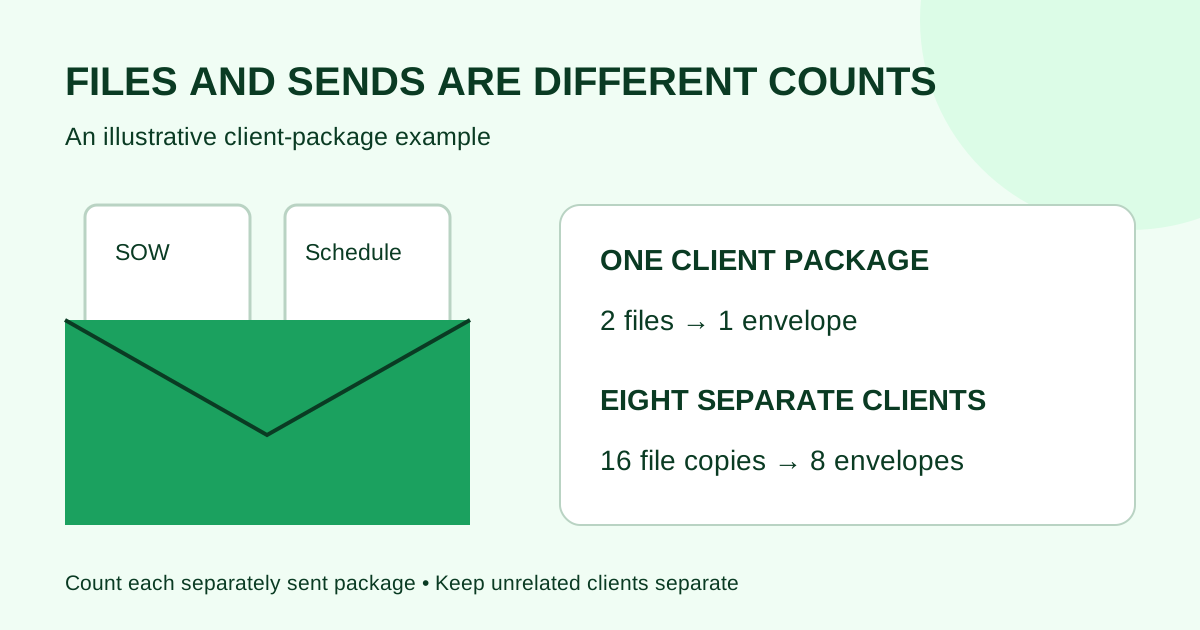
A Docusign envelope is the sending container; a document is a file inside it. One envelope can hold several documents and include several recipients. Count the separate envelopes you plan to send, rather than the PDF files, pages or signature fields. Docusign’s envelope explainer describes this distinction (checked October 10, 2026).
For a small agency comparing plans, that difference matters before opening a pricing calculator. Three files for one client might form one envelope. Sending an individual package to each of ten clients is a different workload.
What are you counting?
| Item | What it represents | What to record in your worksheet |
|---|---|---|
| Document | A file, such as a statement of work or schedule | Files included in each client package |
| Page | A page within a document | Reading and preparation workload |
| Recipient | A person included in the signing or review process | Who needs to act on that package |
| Envelope | The container sent through Docusign | Each separate envelope you intend to send |
| Sender seat | A user’s access to prepare and send | Team members who need sending access |
Docusign describes sender seats separately from envelopes in its envelope guide. Two people signing one package do not, by that fact alone, turn it into two envelopes.
Worked example: twelve client projects
The following is an invented planning example, not a usage benchmark or a product allowance. Assume an agency plans these sends in one month:
| Planned work | Files in each package | Separate envelopes | File copies sent |
|---|---|---|---|
| 8 new clients: SOW and project schedule together | 2 | 8 | 16 |
| 4 existing clients: one renewal each | 1 | 4 | 4 |
| 3 later scope changes, each sent separately | 1 | 3 | 3 |
| Total | — | 15 | 23 |
The plan contains 23 file copies but 15 envelopes. The eight SOW packages account for eight envelopes because each client receives a separate package containing both files. The three later changes are separate sends, even if those clients already received a SOW earlier in the month.
If the agency instead sends each of those eight schedules as a separate envelope, it adds eight envelopes: 23 envelopes in total. That is a packaging decision, not a change in the number of files.
Keep unrelated clients in separate packages. Do not combine confidential client documents merely to lower the count. Decide which documents belong together based on the intended recipients, review process and timing.
Make a sending worksheet before comparing plans
Use one row per recurring sending job: new-client SOW, renewal, change order or another package your team actually sends.
- Name the package. Write down its contents, such as “SOW plus schedule.”
- Count separate sends. Record how many client-specific envelopes you expect to create during the comparison period.
- Separate later work. Add independently sent renewals and changes rather than hiding them inside the original project count.
- List the senders. Record who needs to prepare and send, separately from who will receive or sign.
- Reconcile against actual usage. For an existing account, compare the worksheet with its envelope usage reporting. Investigate differences before treating the estimate as a purchasing requirement.
If you have no usage history, label the result a planning assumption. Record a low and high scenario based on your own pipeline, and replace the assumption with observed usage when available. Do not present an annual total built from one unusually busy month as a measured annual baseline.
Check the allowance period and account terms
Docusign’s plans and pricing FAQ identifies envelopes as a usage unit (checked October 10, 2026). The number you calculated is useful only when compared with the terms of the specific plan or quote.
Before buying, get answers to these questions:
- Is the allowance monthly, annual or governed by another contract period?
- Is it assigned per sender or shared across the account?
- How does the account count voided, declined or replacement envelopes?
- Does the proposed workflow use a separately priced capability?
- What happens when the included allowance is exhausted?
Keep the written answers with your quote. This article does not assume that a reminder, a correction and creating a new envelope have identical billing treatment. Check the exact action and current account terms rather than guessing from the number of emails delivered.
For the next purchasing step, use the two-to-five-sender cost worksheet, and recheck vendor terms before relying on any price. To compare Demand Signatures, review its current pricing against the same sending worksheet. Do not assume every provider uses the word “document” or “request” in the same way.
Common questions
Does a ten-page PDF mean ten envelopes?
No. Page count and envelope count are different measures. In a planned send containing one ten-page PDF inside one envelope, the envelope count is one.
Do two signers mean two envelopes?
Not when both are recipients of the same envelope. Plan the signing order around who must act first, separately from counting the packages sent.
Does reusing a template make every client part of one envelope?
No. In a workflow that creates a separate envelope for each client from a reusable layout, count those separate envelopes. Check template details before every send so the recipient and document content match that client.
Should I combine all my files to reduce usage?
First decide whether the files belong in the same client transaction. Different recipients, confidentiality needs or review dates may call for separate sends. Count the workflow you need, then compare plans that fit it.
Ready to compare your team's requirements? Keep your envelope and sender counts beside Demand Signatures’ current pricing while you review the options.


Comments
Questions and notes from readers. Every comment is reviewed before it appears.
Comments are unavailable right now. Please try again later.
Leave a comment